
Camera Disabling Mobile App
Camera-disabling mobile app for a Singapore government agency
Role: Product squad design lead
Client: A Singapore government agency
Timeline: September 2021 to February 2022
Team: Design lead (me), Scrum Master/UX researcher, full-stack developer, front-end developer and solutions architect
Summary
Staff needed to disable their phone cameras before entering restricted areas, without being locked out of their office or cut off from the world.
This was CDA 2.0, a camera-disabling app for the Singapore government. I led design from discovery to the start of the pilot, turning a loosely defined problem into a native mobile app, and used a survey with over 5,000 responses to decide how it should work.
5,000+ survey responses · 3 → 1 ways to disable cameras, narrowed to manual disablement
Context
Phone cameras aren't allowed in restricted areas, known as Red Zones. CDA 1.0 already existed, but it was unstable and tied to a manual gantry that often blocked staff from entering their office.
Staff also had to leave their phones in lockers at the entrance, which left them uncontactable all day. In a very large building, walking back and forth to the lockers wasn't practical. CDA 2.0 started in an Agile skunkworks set up to tackle digital problems quickly.
Key Decisions
1. Align everyone on the business logic before designing screens.
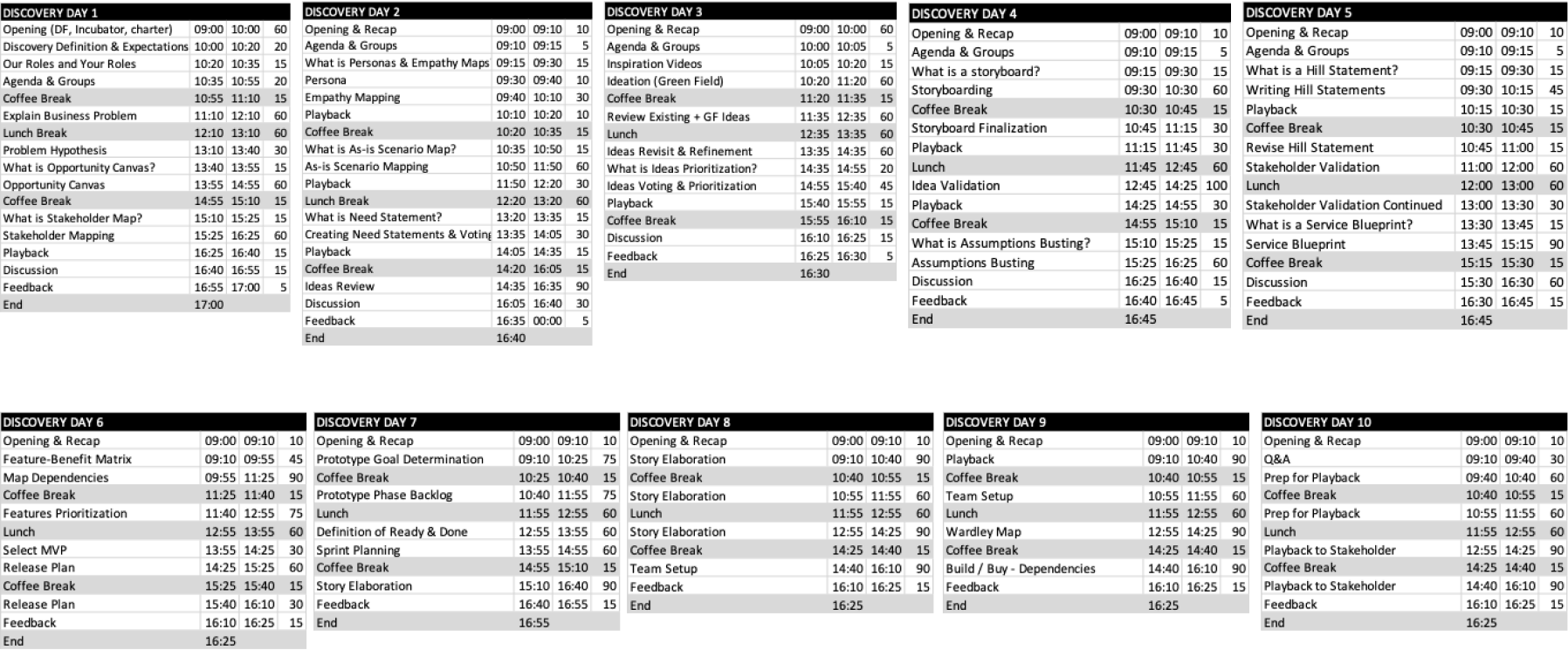
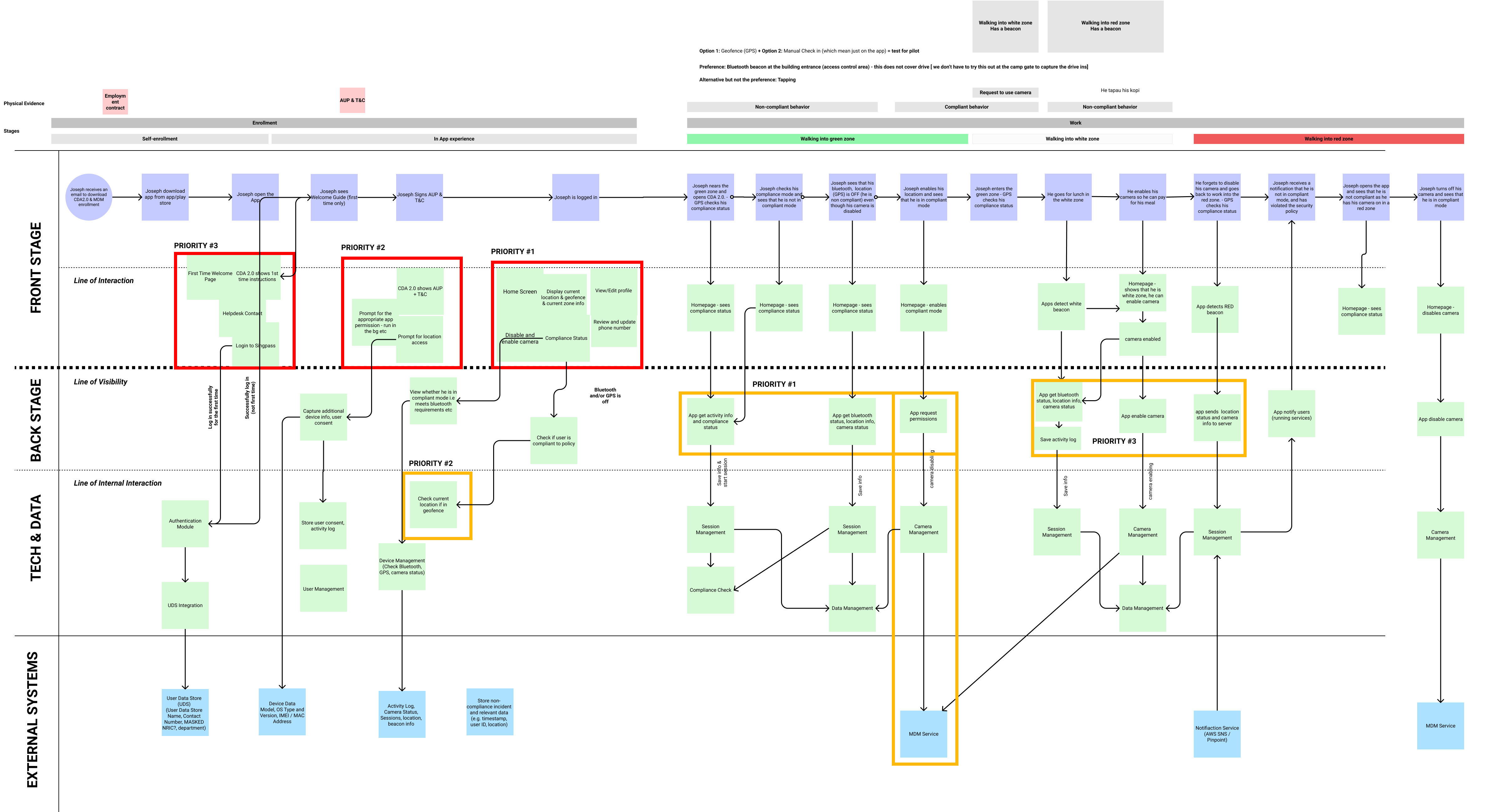
I facilitated a discovery workshop using IBM's Enterprise Design Thinking and Scrum planning frameworks to turn a nebulous problem into clear next steps. The most useful output was the service blueprint, which aligned the team on the complex business logic behind the product and service.
2. Let users choose the technology.
We were weighing three ways to disable cameras: QR codes, Bluetooth beacons or manual disablement. Rather than decide internally, our Scrum Master/UX researcher and I pushed to survey users. Over 5,000 responses gave us a clear mandate for manual disablement.
3. Explore wide, then build high-fidelity on the design system.
I wireframed several directions to capture requirements and explore alternatives. Once requirements were agreed with the product owners, product manager and tech team, I built a high-fidelity prototype on the existing design system.
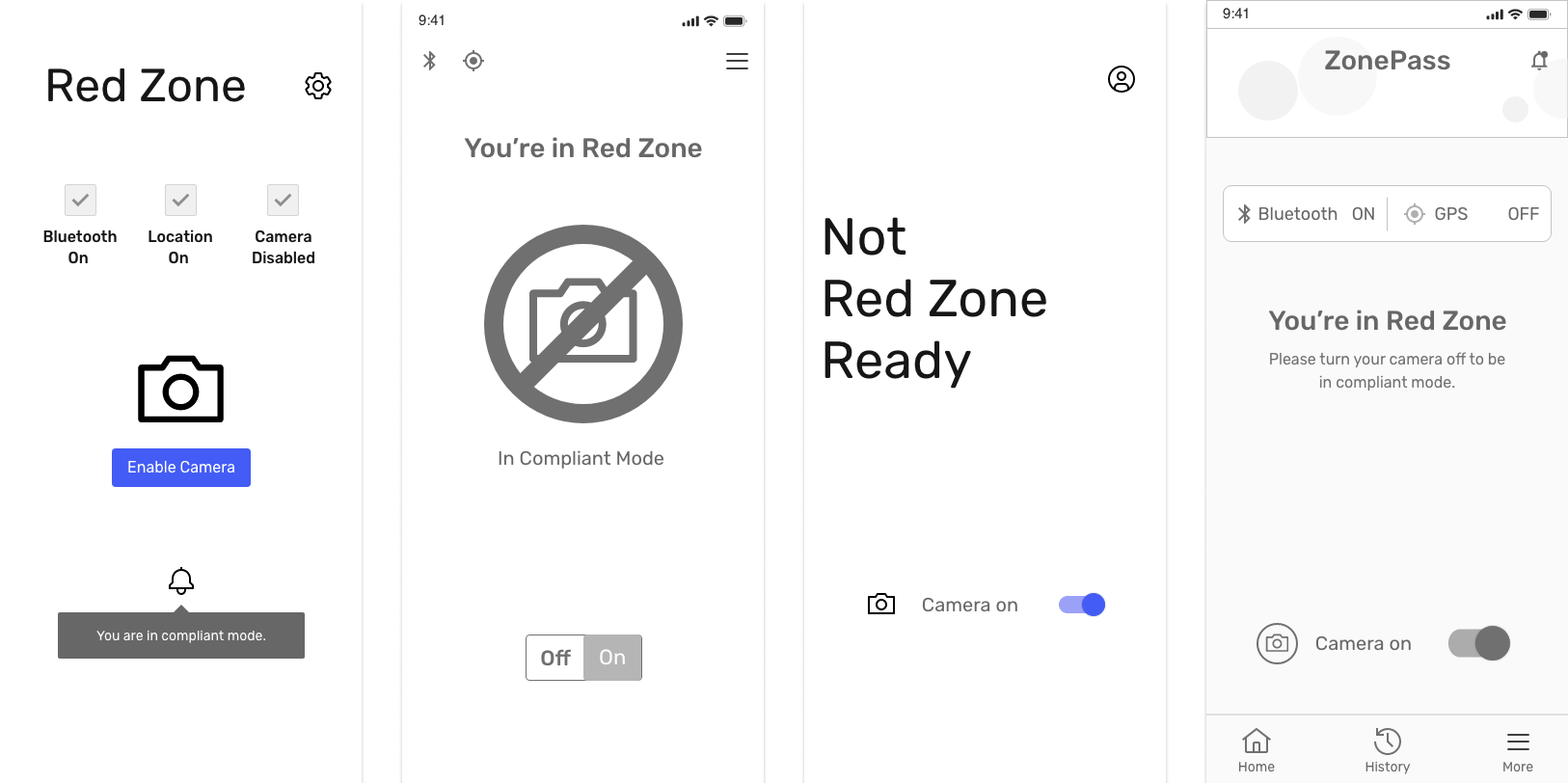
Design Demo
The demo follows a staff member through a full workday with the service. This is the version presented at a senior stakeholder review.
Where It Landed
I left for a new role at the start of the pilot and handed the product over to another designer.
Learnings
Keep the service blueprint alive. The business logic was complex at every layer of the blueprint. Early on, we treated the blueprint as a workshop output rather than a living document, so the product owners, product manager and developers fell out of sync on the latest logic. We fixed it by:
- Updating the blueprint whenever we learned something new.
- Holding a weekly alignment check-in after Sprint Planning and Backlog Refinement.